
You close the project. The client is happy. Then you look at the numbers.
Three consultants were under-billed. The expenses didn’t make it into the final invoice. And someone forgot to log last week’s hours before the billing cycle closed.
It’s not a people problem. It’s a systems problem.
Most professional services organizations still run on a patchwork of disconnected tools – a CRM system here, a spreadsheet there, a project management app that doesn’t talk to accounting, and another existing software for accurate financial tracking that was a bit sidetracked. Every handoff between systems is a place where data gets lost, hours go untracked, and revenue slips through the cracks. That’s exactly the problem PSA software was built to solve.
This guide explains what PSA software is, how it works, who it’s for, and what to look for when you’re ready to choose the right PSA solution for your team. We also reviewed and tested 7 leading PSA tools across core dimensions to give you an honest, experience-based ranking you can act on.
What Is PSA Software? Definition
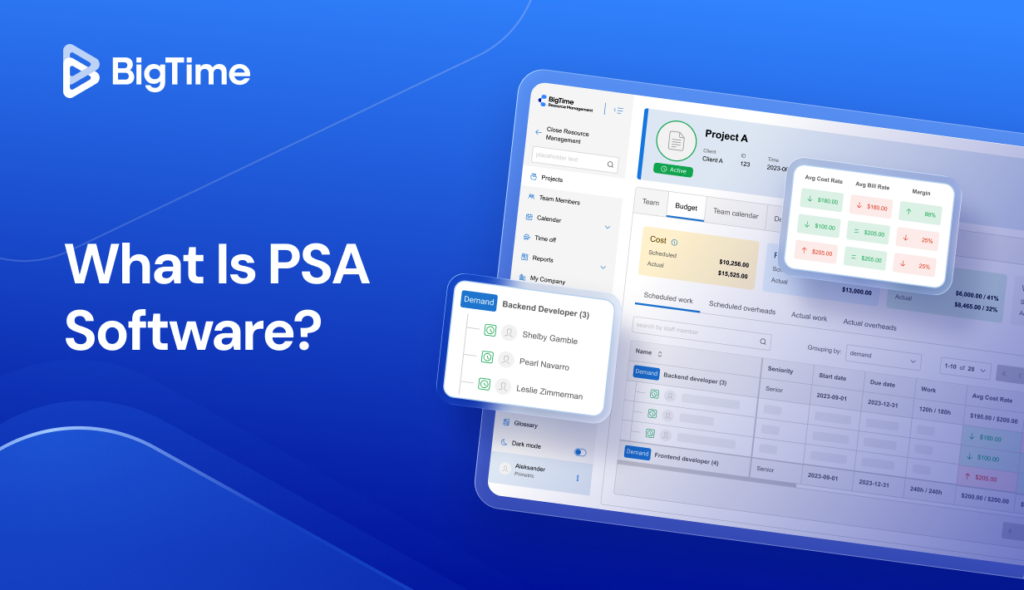
PSA software – short for Professional Services Automation (PSA) – is an integrated platform that helps service-based businesses manage their core business processes in one place. It combines project management, resource management, time tracking, financial management, billing, and reporting into a single system, replacing the need for multiple disconnected tools.
Think of a PSA system as the operational backbone of a professional services firm. It connects the entire project lifecycle, from the initial quote and resource planning, through project delivery and time capture, all the way to invoicing and financial reporting. The result is real-time visibility into every project, every resource, and every dollar, which means fewer surprises in resource scheduling and expense tracking, healthier margins, and better client satisfaction.
Who Can Benefit From Using PSA Tools?
Any business that delivers billable work can benefit from using PSA tools in their entire lifecycle. In practice, that means consulting firms, IT services providers, marketing and creative agencies, architecture and engineering firms, legal practices, and managed service providers (MSPs). What these professional services organizations have in common is that their revenue depends on resource utilization – and their profitability depends on how accurately they track, plan, and bill that time.
PSA solutions are especially valuable for professional services teams that are scaling. When a firm is small, manual processes for financial management and resource planning can hold together. But as projects multiply, project managers find themselves drowning in spreadsheets, delivery teams lose visibility into capacity planning, and finance can’t get clean financial data fast enough to make good decisions. A PSA system creates the structure that lets professional services firms grow without losing control of their project performance or financial health.
Professional Services Automation Software: Key Features
Integrated PSA software brings together the operational, financial, and strategic tools that professional services teams rely on every day. Here are the four core capability areas that define a modern PSA solution.
Project Budgeting and Financial Management
This is what lies at the core of the impact of the PSA software. A purpose-built PSA system connects time tracking and expense management directly to project accounting and invoicing, eliminating manual data entry, reducing errors, and giving finance teams accurate financial tracking across every engagement.
Key capabilities for financial management include:
- Time and expense management with automated approval workflows
- Project budgeting tools that track burn rate against planned budgets in real time
- Automated billing tools tied to tracked time and milestones, supporting fixed-fee, time-and-materials, and retainer models
- Revenue management and project profitability reporting at both the engagement and firm-wide level
- Expense tracking with receipt capture and categorization
- Cash flow visibility and financial forecasting to protect financial health
- Integration with existing accounting software and accounting tools for seamless month-end close
Project Management
At the heart of any PSA tool is the ability to manage projects across the entire project lifecycle. That means planning work before it starts, tracking project progress as it unfolds, and capturing outcomes once it’s complete. Unlike standalone project management software, PSA platforms connect project data directly to resourcing, billing, and financials, so project status updates flow automatically into the rest of the business.
Key project management capabilities in PSA systems include:
- Task scheduling, dependencies, and project milestone tracking
- Gantt charts and project planning views for project managers
- Real-time executive dashboards showing project status and project performance across all active engagements
- Automated alerts when projects go off-track or over budget
- Collaboration tools for both internal delivery teams and client-facing communication
Resource Management
Effective resource management is what separates profitable professional services firms from ones that constantly scramble. PSA software gives project managers and operations leaders complete visibility into who is available, what they’re working on, and how their capacity maps to upcoming demand. This makes resource allocation proactive rather than reactive, and improves utilization rates across the board.
Key resource management features in PSA tools include:
- Resource scheduling and capacity planning across teams and business units
- Real-time utilization tracking to identify overloaded or underutilized staff
- Resource allocation tools that match the right people to the right projects
- Resource forecasting views that surface future capacity gaps before they become delivery problems
- Talent management features that factor in skills, certifications, and availability
Time Tracking, Expense Management, and Billing
Time tracking is where the money starts. In a PSA platform, time and expense tracking sit inside the project, so every entry carries the right client, task, rate, and billable status. Approvals happen in the same place, and approved entries flow into invoices without manual data entry.
Billing features to expect:
- Project management, time tracking, and billing on the same project record
- Time entry on desktop, browser, and mobile, with timers and timesheets
- Expense management with receipt capture and project allocation
- Billing automation for time and materials, fixed fee, milestone, and retainer contracts
- Rate cards by role, person, or client
- Invoice review and approval before anything reaches the client
When time, expenses, and rates live in one system, billing accuracy stops depending on someone’s memory at the end of the month. Expense tracking matters as much as hours, because a receipt that misses the invoice is margin you never recover. Make time tracking quick, and adoption follows. PSA time tracking and PSA billing go deeper on each.
Reporting and Real-Time Visibility
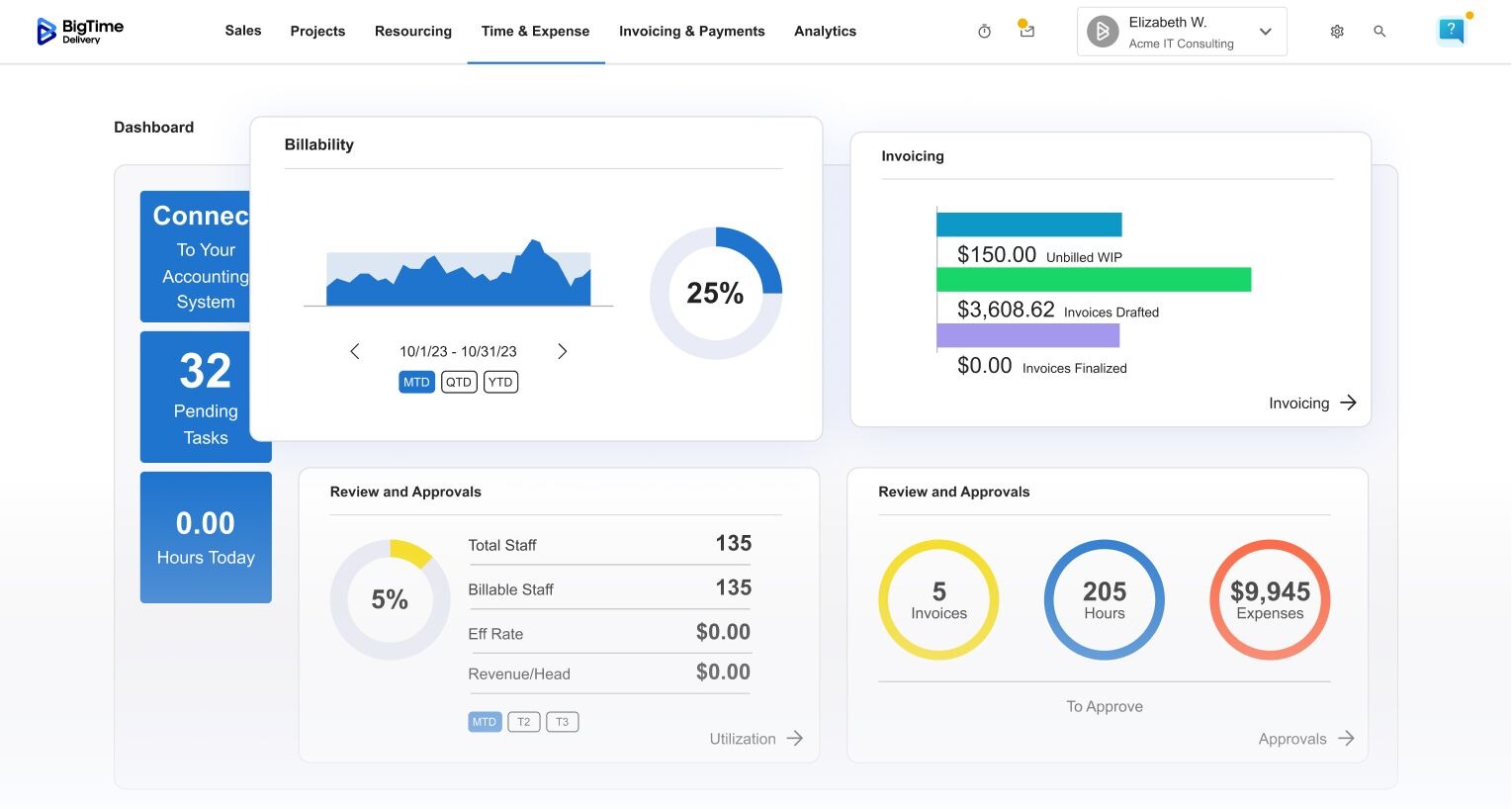
PSA reporting pulls project data, resource data, and financial data into one view. Leaders see financial performance across the firm, project managers track progress and project performance on their own engagements, and finance sees what’s billed, unbilled, and overdue. Executive dashboards give real-time visibility without waiting for an export, allowing the companies to:
- Spot budget overruns and a slipping project status while there’s still time to change course
- Compare resource utilization and margin across multiple projects, clients, and service lines
- Check project health on complex projects before the client notices a problem
- Catch unbilled time and expenses before month-end close, which improves billing accuracy
- Forecast revenue and capacity from current staffing plans
AI-Powered Features
Modern professional services automation software doesn’t just automate manual processes; it uses AI to surface insights and recommendations that help teams work smarter. AI features are increasingly central to what separates best-in-class PSA solutions from legacy tools, offering features such as:
- Predictive resource planning that anticipates capacity gaps based on pipeline data
- AI-assisted project planning that recommends timelines and staffing based on historical project performance
- Intelligent alerts that flag at-risk projects before delivery problems escalate
- Automated real-time data entry and time capture that reduces the burden on billable staff
- Smart financial forecasting that identifies trends in project profitability and resource utilization

Benefits of PSA Software
Implementing professional services automation delivers measurable improvements across operations, finance, and client relationships. A well-implemented PSA tool changes how project delivery teams experience their work: less admin, more clarity, and greater confidence in every decision.
The key benefits include:
- Improved resource utilization. Eliminate guesswork in resource scheduling and ensure billable staff are allocated efficiently across all active projects.
- Faster, more accurate billing. Automated billing and expense tracking means invoices go out faster, with fewer errors, improving cash flow and client satisfaction alike.
- Real-time visibility. Leadership and project managers get a live view of project performance, financial health, and services delivery across the entire business.
- Reduced manual processes. Automating time-consuming tasks like data entry, reporting, and approval workflows frees up time for higher-value work.
- Better project profitability. Accurate financial management and project accounting help teams identify where margin is being lost — and fix it before the engagement closes.
- Stronger client relationships. When projects are delivered on time, invoices are accurate, and updates are proactive, client satisfaction improves naturally.
PSA vs Other Systems: What’s The Difference?
Before you evaluate PSA software, it helps to understand how it differs from the other platforms you may already be using. PSA tools overlap with ERP, CRM, and project management tools in some areas – but they’re purpose-built for the workflows that make professional services businesses run.
PSA vs ERP
Enterprise resource planning software (ERP software) is designed for product-based businesses: manufacturing, distribution, retail. It manages inventory, supply chains, human resources, and company-wide financials. PSA and ERP systems share some financial management functionality, but ERP lacks the project-centric features that professional services teams need: billable time tracking, project-level profitability analysis, and services-specific billing models. PSA software is, in effect, an ERP purpose-built for services organizations.
| PSA Software | ERP | |
| Primary focus | Service delivery, project profitability, billable time | Manufacturing, inventory, supply chain |
| Time tracking | Core feature, built for billable hours | Basic or absent |
| Project accounting | Native, project-level P&L | General ledger focused |
| Best for | Professional services firms, consulting, MSPs | Product companies, manufacturers |
PSA vs CRM
Customer relationship management (CRM systems) are built for managing the sales pipeline: tracking leads, contacts, and deals. PSA software picks up where CRM systems leave off, managing the actual delivery of the work, the resources, the financials, and the client relationship over the entire lifecycle of an engagement. However, many PSA solutions integrate natively with existing CRM platforms, creating a seamless handoff from customer success to project delivery.
| PSA Software | CRM | |
| Primary focus | Project delivery, billing, resource management | Sales pipeline, lead management, deal tracking |
| Post-sale workflow | Full project and financial management | Limited or none |
| Time & billing | Native core feature | Not included |
| Best for | Ongoing client project management | Pre-sale relationship management |
PSA vs Project Management Tools
Project management tools help teams organize tasks and track work. They’re useful for managing project planning and project progress – but they’re not built for the financials.. They typically lack native time tracking, expense tracking, billing, and resource utilization features. PSA software covers everything project management software does, plus all of the above.
| PSA Software | Project Management Tools | |
| Time & billing | Native, connected to projects and financials | Not included or basic |
| Resource utilization | Full capacity planning and scheduling | Basic workload views only |
| Financial management | Project P&L, invoicing, revenue management | Not included |
| Best for | End-to-end services delivery and billing | Task and project tracking |
How To Choose The Right PSA Solution?
When you evaluate PSA software, the goal isn’t to find the platform with the longest feature list. It’s to find the one that fits how your professional services organization actually works, and that will scale with you as you grow. Here’s how to approach the evaluation:
- Map your current workflow gaps. Before looking at any platform, identify where your core business processes break down today. Is it resource scheduling? Time and expense management? Project accounting? Revenue leakage? The right starting point is your biggest pain, not the most impressive demo.
- Assess integration with your existing software ecosystem. A PSA tool that doesn’t connect to your existing tools will create new problems. Check for native integrations with your accounting software (such as Quickbooks), CRM systems, and any collaboration tools your team uses daily. The smoother the integration, the less disruption to your existing software stack.
- Evaluate usability for delivery teams. PSA software only works if your team actually uses it. If logging time or submitting expenses feels like friction, billable hours will go uncaptured. Look for platforms where manual data entry is minimal and the interface is intuitive for both project managers and billable staff.
- Look for real-time financial visibility. The best PSA solutions give finance teams real-time data on project profitability, cash flow, and financial performance, not just historical reports. This is what enables proactive business management instead of reactive damage control.
- Consider implementation and data migration. Moving to a new PSA system involves data migration from your existing software and a period of change management. Ask vendors about onboarding timelines, migration support, and what happens to your existing tools and data during the transition.
- Verify scalability. As your services organization grows, your PSA platform should grow with you, handling more projects, more business units, and more complex financial data without requiring a replacement.
Standalone PSA Software vs Integrated PSA Software
PSA products also differ in how they connect to the rest of your stack.
Standalone PSA software covers the delivery core in business systems: projects, time, resources, and billing. It runs on its own and exchanges data with other systems through exports, files, or lightweight connectors. Standalone PSA software is often faster to roll out, and smaller services organizations often start there, but finance and sales may still rely on manual coordination to keep numbers aligned.
Integrated PSA software connects natively with your CRM, accounting, and payroll systems, so it works as a unified platform and data moves without rekeying. Integrated PSA software lets sales and delivery teams share one view of the client, enabling organizations to move from the signed quote to the paid invoice without retyping anything. The trade-off is setup: integrations need clean data and a clear owner.
When you compare the two, ask what your firm will connect in the next two years, not only today. A standalone PSA software choice that can’t grow into an integrated one often ends in a second migration.
PSA Software Comparison Table
Use this quick-reference table to compare the top PSA tools side-by-side before diving into the detailed reviews below.
| Tool | Best For | Accounting Sync | Client Portal | Starting Price | G2 / Capterra (November 2026) |
| BigTime | Professional services firms with 20-250 employees on QuickBooks or Sage | QuickBooks Online and Desktop, two-way; Sage Intacct (Premier); Xero (Enterprise PSA) | Yes, from Advanced | $20 per user/month (Essentials) | 4.4 (1,807) / 4.6 (658) |
| Kantata | Large services organizations with complex resource planning | QuickBooks native; other systems through middleware | Paid add-on | Custom pricing | 4.2 (1,497) / 4.2 (627) |
| Accelo | Small and mid-sized firms with retainers and recurring client work | QuickBooks and Xero | Yes | Custom; third-party listings show per-product plans | 4.4 (553) / 4.5 (174) |
| Scoro | Agencies and consultancies that want quoting, delivery, and billing together | QuickBooks and Xero, two-way | Yes | $17 per user/month, 5-user minimum | 4.5 (486) / 4.5 (263) |
| Certinia PS Cloud | Enterprises standardized on Salesforce | Certinia financials or integrations | Limited | Custom pricing | 4.3 (712) / No Capterra listing found |
| ConnectWise PSA | Managed service providers | QuickBooks export; Xero and Sage through third parties | Yes | Custom quote | 3.9 (524) / 4.1 (275) |
| Birdview PSA | Mid-sized teams that plan capacity visually | QuickBooks export | Not confirmed | $37 per user/month, billed annually (Team) | 4.2 (407) / 4.5 (475) |
1. BigTime
Rating: G2 4.4/5 (1,807 reviews) · Capterra 4.6/5 (658 reviews)
Pros
- Built around the general ledger, with two-way QuickBooks Online and QuickBooks Desktop sync, so project margin and the books agree
- Time and materials, fixed fee, milestone, and retainer billing in one system
- Payments are included with BigTime Delivery, so clients can pay from the invoice
- Modular: add BigTime Quotes, Resource Management, or Data Hub as you grow
- Self-Service Client Portal and Salesforce and Jira integrations from the Advanced tier
Cons
- Xero connects only through BigTime Enterprise PSA
BigTime is a PSA platform for IT, engineering, and consulting firms that run on QuickBooks or Sage and need financial precision across the full project lifecycle without enterprise complexity. It’s built for the moment when billing rules, utilization pressure, and cash flow outgrow a time tracker plus accounting software, and the firm has no appetite for an enterprise transformation.
Where many PSAs integrate with accounting, BigTime is built around it. Rates, billing rules, approvals, and invoices follow one financial logic from the first quoted hour to the collected payment, and Automatic Reconciliation keeps BigTime and QuickBooks matched. BigTime Quotes turns an approved quote into a live project in one click. BigTime Resource Management adds demand and capacity planning, a staff availability heat map, skills and certifications, and financial projections based on resource allocation.
BigTime is more than enough for most firms between 20 and 250 people. Firms that need multi-entity consolidation move to BigTime Enterprise PSA, which is a separate, finance-first platform with its own implementation. Plan setup time for rate cards, billing rules, and the accounting connection, because those choices decide how clean your invoices are later.
Key Features
- Billing for time and materials, fixed fee, milestones, and retainers, with custom invoice templates
- Time and expense management on desktop, browser, and the mobile app, with approvals
- Project portfolio management with project templates and budget alerts
- Two-way QuickBooks Online and Desktop sync with Automatic Reconciliation; HubSpot on every tier
- Self-Service Client Portal, standard dashboards, and the Custom Reporting Center
- Multi-currency billing and invoicing and multi-level approvals on Premier
- AI Assistant on every tier; Time Agent and Expense Agent coming soon
Pricing
BigTime Essentials starts at $20 per user/month. Advanced, Premier, and Enterprise are quoted after a demo.
2. Kantata
Rating: G2 4.2/5 (1,497 reviews) · Capterra 4.2/5 (627 reviews)
Pros
- One of the deepest resource planning engines in the category, with skills-based allocation
- Strong financial management and reporting for enterprise-scale operations
- Mature integrations with ERP, CRM, and accounting systems
- Broad coverage across consulting, technology, and creative firms
Cons
- Custom pricing with no published rates
- Implementation measured in months for complex setups
- Rewards heavy configuration, which smaller teams may not have the staff for
Kantata, formerly Mavenlink, is an established PSA platform for project and resource management, with financial reporting that few competitors match at enterprise scale. Its resource planning gives granular visibility into availability, skills, and utilization across large teams, and it suits services organizations running complex projects with hundreds of billable people and a dedicated operations owner. Kantata’s own buyer’s guide compares it with enterprise platforms such as Certinia, NetSuite OpenAir, and Workday, which shows the audience it’s built for.
The depth comes at a cost in setup time, configuration effort, and budget. Kantata doesn’t publish pricing, its client portal is a paid add-on according to a competitor’s 2026 comparison, and firms that underinvest in onboarding often use only part of the platform. Accounting sync is native for QuickBooks, while other systems usually connect through middleware. A 60-person consulting firm that wants to bill accurately next quarter may find the implementation larger than the problem it’s solving.
Key Features
- Resource planning with skill-based allocation, utilization tracking, and availability forecasting
- Revenue recognition and financial reporting
- Project tracking with Gantt charts and milestone billing
- Business intelligence dashboards for project performance and financial metrics
- Configurable workflows for project delivery, approvals, and client communication
Pricing
Custom pricing; contact Kantata for a quote.
3. Accelo
Rating: G2 4.4/5 (553 reviews) · Capterra 4.5/5 (174 reviews)
Pros
- Automated time capture from email, calendar, and client communication
- Retainer management for recurring client engagements
- Flexible billing for mixed contract portfolios
- QuickBooks and Xero integrations
Cons
- A learning curve that reviewers mention often
- Not specialized in any single vertical
- Pricing is sold per product, so costs grow as you add modules
Accelo’s automated time capture is its standout. The platform watches client communication, such as emails and meetings, and turns that activity into suggested time entries, which addresses a common problem in professional services: billable hours that never reach an invoice. It suits firms with many retainers and a steady flow of smaller client work. Accelo also covers sales and quotes, so a firm can run its pipeline, retainers, and delivery in one place.
Beyond that, Accelo is a mixed proposition. Reviewers on G2 describe the interface as unintuitive until users invest time in learning it, and Capterra’s ease-of-use score (4.2) sits below its overall rating. Financial reporting is serviceable rather than deep. Accelo doesn’t publish list prices. Third-party listings show plans sold per product on annual contracts with a five-user minimum, so a firm that needs projects, retainers, and sales together pays for several products. A firm that wants resource forecasting tied to project margin may find itself exporting to spreadsheets.
Key Features
- Automated time capture from email and calendar
- Retainer management with recurring billing and overage alerts
- Project planning with task management and budget tracking
- Client portal, approvals, and automated client updates
- Integrations with QuickBooks, Xero, Salesforce, and Google Workspace
Pricing
Custom pricing from Accelo; third-party listings show per-product plans on annual contracts with a five-user minimum. Confirm with Accelo.
4. Scoro
Rating: G2 4.5/5 (486 reviews) · Capterra 4.5/5 (263 reviews)
Pros
- Detailed quote-to-cash workflow with margin calculations during estimation
- Real-time budget against actual and project profitability
- Two-way QuickBooks and Xero sync
- Client portal and shared work reports
Cons
- A five-user minimum and modular pricing that adds up as you add apps
- Reviewers report a real learning curve
- Resource planning is lighter than specialist tools
Scoro’s core strength is financial visibility for project-based teams. The quoting workflow lets you price line by line and check margin before a quote goes out, approved quotes become projects, and budget against actual compares like with like. It suits agencies and boutique consultancies that want sales, project delivery, and billing in one place. Its work-in-progress report shows fees earned but not yet invoiced while the project is still running, which few delivery-first tools offer.
Where it falls short is breadth and cost at scale. Scoro’s pricing starts at $17 per user/month with a five-user minimum, and the combinations with quote-to-cash and revenue reporting run from $29 to $57 per user/month. Resource planning is adequate rather than deep, and reviewers on Capterra point to a learning curve before teams are comfortable. A firm with 40 consultants on shared projects and a growing bench may want stronger capacity planning than Scoro offers.
Key Features
- Quote-to-cash workflow with margin calculations
- Budget against actual, project profitability, and revenue forecasting
- Resource planning with capacity and workload views
- Client portal, shared work reports, and approvals
- Billing automation with multiple billing models
- Integrations with QuickBooks, Xero, and Salesforce
Pricing
From $17 per user/month, minimum five users; higher plans cost more.
5. Certinia PS Cloud
Rating: G2 4.3/5 (712 reviews) · No Capterra listing found
Pros
- Built natively on Salesforce, so sales and project data share one record
- Revenue recognition across complex, multi-model billing
- AI-assisted staffing and capacity planning in the Salesforce ecosystem
- Real-time visibility across project profitability, resource utilization, and financial performance
Cons
- Viable mainly for Salesforce customers
- Customization needs Salesforce admins or developers
- Native invoicing requires the separate Certinia Billing & Receivables app (unverified 2026-11-04)
Certinia PS Cloud, formerly FinancialForce PSA, is the most Salesforce-native option in the PSA market. It lives inside the Salesforce platform rather than syncing with it, so a deal closed in Sales Cloud can become a project without re-entry. Account executives, project managers, and finance work from the same customer record. Reviewers on G2 single out the Salesforce integration as its most valued strength.
That architecture is also the constraint. Certinia makes the most sense for companies already standardized on Salesforce, and combined Salesforce and Certinia licensing puts it among the more expensive PSA implementations. Reviewers on G2 mention a cluttered interface and slow page loads with large data sets, its G2 Ease of Setup score (6.8) trails lighter PSAs, and changes usually need a Salesforce admin. A 100-person consulting firm on QuickBooks and HubSpot would be buying a new CRM platform to get its PSA and plan projects effectively.
Key Features
- Salesforce-native data model for project, resource, and CRM records
- Revenue recognition automation
- Services estimates from a single source of truth
- Project analytics and financial reporting
- Project lifecycle management from opportunity to delivery
Pricing
Custom pricing; requires Salesforce licensing
6. ConnectWise PSA
Rating: G2 3.9/5 (524 reviews) · Capterra 4.1/5 (275 reviews)
Pros
- A mature PSA platform for the MSP market
- Broad integrations with remote monitoring, security, and accounting tools
- Configurable workflows, billing models, and SLAs
- Ticketing, projects, and billing in one place
Cons
- A complex interface with a steep learning curve
- Implementation often needs paid professional services
- No published pricing
ConnectWise PSA software tool is the incumbent platform for managed service providers, and its integration ecosystem is broad: remote monitoring and management platforms, security vendors, accounting tools, and specialist applications for project setup. For MSP service teams with complex contracts and service-level agreements, the depth of configuration is a real advantage. Ticketing, projects, and recurring contract billing sit together, which matches how most MSPs earn their revenue.
The trade-off is age and complexity. Reviewers on G2 and Capterra describe a steep learning curve and performance issues, and Capterra’s ease-of-use score sits below the overall rating. ConnectWise doesn’t publish PSA pricing, third-party estimates vary widely, and implementation help often costs extra, so ask for a written quote that includes onboarding. Accounting sync for QuickBooks is an export, with Xero and Sage through third parties, according to a 2026 competitor comparison. A consulting or engineering firm that bills by project rather than by ticket will pay for service desk depth it doesn’t use.
Key Features
- Ticketing, project management, time tracking, and billing automation for MSPs
- Integrations with remote monitoring, security, and accounting tools
- Configurable workflows, billing models, and SLA rules
- Multi-entity billing, financial management, and financial reporting
- Customer portal with ticket and project updates
Pricing
Custom quote from ConnectWise
7. Birdview PSA
Rating: G2 4.2/5 (407 reviews) · Capterra 4.5/5 (475 reviews) · November 2026
Pros
- Visual resource scheduling that many users find more intuitive than tabular reports
- Capacity forecasting and resource loading scenarios
- A project scorecard for delivery health across the portfolio
- Published pricing
Cons
- Financial management and billing are lighter than finance-first PSAs
- Limited MSP features
- QuickBooks connection is an export rather than a two-way sync
Birdview PSA’s visual resource scheduling is its clear differentiator among professional services automation solutions. The live capacity view shows allocations, availability, and demand together, which helps teams that make staffing calls every day. The project scorecard gives a quick read on budget and timeline health across active projects. Birdview also publishes its pricing, which is uncommon in this category, and the PSA Team plan covers 5 to 100 users. Capterra reviewers rate its customer support 4.5 out of 5.
Outside resource planning, Birdview is less complete. Billing and invoicing cover the basics without the financial controls that finance-first platforms offer, and a 2026 competitor comparison lists its QuickBooks connection as an export only. The PSA Team plan is $37 per user/month billed annually at the current special price, with Enterprise quoted. A firm whose biggest risk is unbilled time and slow invoicing, rather than scheduling, may outgrow its finance features first. Teams that need multi-currency billing or revenue recognition should confirm both in a demo.
Key Features
- Visual resource scheduling with allocations, availability, and demand forecasting
- Project scorecard with budget and timeline indicators
- Time tracking and expense tracking connected to billing and invoicing
- Project profitability reporting with budget against actual
Pricing
PSA Team from $37 per user/month, billed annually (special price; regular $41); Enterprise on request.
Frequently Asked Questions About PSA Software
What is PSA software?
PSA (Professional Services Automation) software is a platform that helps services firms manage projects, resources, time tracking, billing, and financials in one place. It’s used across consulting, IT, engineering, and similar industries to streamline operations and improve project profitability.
What does PSA stand for in software?
PSA stands for Professional Services Automation.
What is the difference between PSA and project management software?
Project management software focuses primarily on task management, project timelines, and team collaboration. Professional services automation software is broader — it connects project delivery to financial management, resource planning, billing automation, and client relationship management.
What are the key features in PSA software?
The key features in PSA software include project management, resource planning and forecasting, time and expense tracking, budgeting and financial management, billing and invoicing, and reporting and analytics. Leading platforms like BigTime also offer accounting integrations, customizable dashboards, and workflow automation.
What are the examples of PSA software?
Some of the best PSA software examples include:
- BigTime – Top-rated PSA platform for time, billing, and profitability management.
- Accelo – PSA and CRM solution for smaller service businesses.
- Kantata (Mavenlink + Kimble) – Enterprise-grade PSA for resource-heavy teams.
- Scoro – Business management and PSA suite for agencies.
- FinancialForce PSA (Certinia) – Salesforce-based PSA for large enterprises.
What is the best PSA software overall?
BigTime is the best PSA software. It delivers a complete, intuitive platform covering project management, resource planning, time tracking, budgeting, and invoicing with deep accounting integrations and real-time reporting that give firms full visibility into performance and profitability.
What is the best PSA software for mid-sized companies?
BigTime is the best PSA software for mid-sized firms. Built for companies with 50–500 employees, it offers enterprise-grade features: resource forecasting, custom workflows, and financial dashboards, without the complexity of legacy systems, making it ideal for growing professional services organizations.
What is the best PSA software for small business?
BigTime is the best PSA software for small business. It combines time tracking, billing, and financial management in a single platform without the setup complexity of enterprise-grade tools, so a small professional services firm can get up and running fast and start capturing billable hours accurately from day one. For firms weighing their options, PSA software for small business covers what to prioritize when the team and budget are still lean.
What is the best PSA software for different industries?
BigTime is the best PSA software across a wide range of industries and use cases:
- Consulting firms – Supports the full engagement lifecycle, from project scoping and resource allocation to time tracking, client billing, and profitability reporting.
- IT services companies – Handles complex multi-phase projects, accurate billable hour tracking, resource demand forecasting, and automated invoicing, with integrations for existing accounting and CRM tools.
- Engineering firms – Supports project-based workflows with budget tracking, resource scheduling, expense management, and compliance-ready reporting.
- Other professional services companies.
Is PSA software worth it for small professional services businesses?
Yes — particularly if your team is managing multiple concurrent client projects and tracking billable hours manually. Even a small professional services firm losing 10–15% of billable hours to incomplete time tracking or manual billing processes can recover significant revenue through PSA software for small business. Start with a tool that has a low learning curve and scales predictably, such as BigTime
How long does PSA software implementation take?
Implementation timelines range from a few days (for lightweight tools like Productive or Accelo) to several months (for enterprise PSA platforms like ConnectWise or Kantata). The primary variables are data migration complexity, integration requirements with existing systems, and the number of users requiring training. Most professional services teams should budget 2–8 weeks for a fully functional deployment.