Research has found that professional services firms routinely leave 10% to 20% of their work unbilled, lost to late timesheets, forgotten receipts, and scope that never reaches an invoice. In 2026, with clients reading every line and rate structures growing more complex, spreadsheets can’t keep up.
This guide shows you what separates a basic time tracker from time and expense tracking software that protects your margins, and which platforms fit your business needs.
What Is Time and Expense Tracking Software?
Time and expense tracking software is a system that captures work hours and business expenses, routes them through approval processes, and turns the approved data into invoices, payroll inputs, and project reports. It replaces separate time tracking software and a standalone budget tracking tools with one platform, so tracked hours and receipts follow the same rules. You may also see it called time expense tracking software or PSA time and expense.
Firms use it to track time and receipts as work happens, compare billable hours and spend against project budgets, apply bill rates automatically, and send clean data to accounting software. The same time data also feeds utilization reports and PTO tracking.
The Benefits of Time and Expense Tracking Software
Firms rarely switch systems to get more features. They switch because month-end keeps breaking. Whether you’re one of the many small businesses moving off spreadsheets or a firm of 200, here’s what a connected platform changes:
- More of your work gets billed. When consultants track time and track expenses as they happen, the unlogged calls and forgotten receipts behind revenue leakage stop piling up.
- Invoices go out faster. Approved entries become professional invoices with the right rates and clear backup, which cuts disputes and protects cash flow.
- Margin is visible mid-project. Billable hours and costs post against project budgets in real time, so you can fix a project that’s burning too fast while it still matters.
- Expense policies enforce themselves. Good expense management applies limits, receipt rules, and approvals automatically, so managing expenses stops being a monthly cleanup.
- Your team saves hours every week. Consultants save time on admin, and finance stops reconciling three systems. Small businesses feel this most, because the person fixing the data is often the owner.
- Decisions rest on trusted data. When time data, expense reporting, and billing share one source, you get valuable insights into utilization rates and client profitability.
What Features Should the Best Time and Expense Tracking Software Have?
Plenty of apps can start a timer or store a receipt. Look past the essential features every vendor lists and focus on the capabilities that decide whether your numbers hold up at month-end.
Flexible Time Entry Your Team Will Actually Use
Late entries are where billable time goes missing, so adoption comes first. Strong time tracking offers timesheets, timers, mobile apps, and browser extensions behind a user friendly interface. An intuitive interface and automated reminders help your team track billable hours without being chased, while locked periods protect approved time.
Approval Processes With Real Controls
The best platforms route time and expenses to the right approver, support multi-level approval for larger amounts, and flag policy breaks before they reach an invoice. Mobile and delegated approvals help everyone save time, and every decision leaves an audit trail.
Rate Logic and Billing Built on the Same Data
This is where time and expense tracking software earns its place. Look for rates by role, client, or project, plus fixed-fee, time and materials, retainer, and markup support. When billing software sits on the same data as your timesheets, approved entries become draft invoices, and built-in online payments and payment processing shorten the trip to cash.
Real-Time Reporting on Budgets, Utilization, and Margin
You shouldn’t need a reporting sprint to spot an over-budget project. Look for detailed reports on hours and costs versus estimates, billable utilization by person, and executive dashboards with real-time insights that let you trace a margin drop to its cause.
Two-Way Integration With Your Accounting Software
Your general ledger is the system of record, so look for a two-way sync with QuickBooks Online, QuickBooks Desktop, Sage, Xero, or NetSuite rather than a one-way export. Connections to payroll tools, HR systems, and project management apps cut double entry for PTO balances and other employee management tasks.
Room to Grow Without Re-Platforming
The system that fits 15 people should still fit at 150. Look for roles, permissions, single sign-on, and advanced features like resource planning that you can add later. For small businesses especially, the platform you pick should still match your business needs, project management workflows, and expense management policies when headcount doubles.
2026 Time and Expense Tracking Software Ranking
To build this list, we looked at the leading providers through one practical question: how well does each platform carry an hour or a receipt from entry to invoice to ledger without manual cleanup? We scored the tools on adoption, expense capture, approval controls, rate and billing depth, reporting, accounting integration, and how well each one scales with a growing firm. Some of the platforms below handle both sides of the equation. Others are excellent at one job, time or expenses, and leave you to connect the rest yourself. We’ve noted that clearly in every review, because the gap between two specialized apps is often where the money goes missing.
Time and Expense Tracking Software: Comparison
The table below gives you a quick view of how the best time and expense tracking software options compare on scope, ideal customer, cost, and user ratings. Use it to narrow your shortlist, then read the full reviews for the details that matter to your firm.
| Tool | Key features | Best for | Pricing | G2/Capterra Rating |
| BigTime | Time & expense tracking, rate logic, approvals, invoicing, budget tracking, two-way QuickBooks sync, online payments, AI assistant | Professional services firms (IT, engineering, consulting) that need time, expenses, and billing in one financial flow | From $20 per user/month (Essentials); higher tiers and Enterprise available; free trial | 4.5 / 4.6 |
| Harvest | Timers, timesheets, basic expenses, simple invoicing, budget alerts | Freelancers and small agencies with straightforward billing | Free plan for one user; Teams from $9 per seat/month (annual) plus usage fees | 4.3 / 4.6 |
| QuickBooks Time | Mobile time clock, GPS location, geofencing, scheduling, payroll sync | Hourly and field teams already running QuickBooks payroll | $20/month base + $10 per user (Premium); $40 base + $12 per user (Elite) | 4.5 / 4.7 |
| Replicon | Time capture, time-off management, compliance rules, project time, expense module | Larger organizations with labor compliance and global time-off needs | Modular, quote-based per-user pricing | 4.5 / 4.5 |
| Zoho Expense | Receipt scanning, mileage, policy rules, corporate cards, travel | Small businesses inside the Zoho ecosystem focused on expense reporting | Free plan for up to three users; paid tiers from a few dollars per user/month | 4.5 / 4.6 |
| Expensify | SmartScan receipts, expense reports, corporate card, reimbursements | Teams that mainly need receipt capture and reimbursement | Per-user plans that vary with card usage | 4.5 / 4.5 |
| Clockify | Timers, timesheets, basic expenses, invoicing on paid tiers | Budget-conscious teams that want a free plan for everyone | Free plan; paid plans from a few dollars per user/month | 4.5 / 4.7 |
| Toggl Track | One-click timers, browser add-ons, reports, project estimates | Small teams that want simple time tracking with minimal setup | Free plan for up to five users; Starter from $9 per user/month (annual) | 4.6 / 4.7 |
| Time Doctor | Activity monitoring, screenshots, productivity analytics, payroll | Remote teams focused on monitoring work hours and productivity | From about $6.70 per user/month (annual) | 4.4 / 4.5 |
BigTime
Reviews: G2: 4.5, Capterra: 4.6.
Pros & Cons
Pros:
- One financial flow from timesheet to ledger. BigTime keeps time entries, expenses, rates, approvals, invoices, and payments on the same data, then syncs both ways with QuickBooks Online, QuickBooks Desktop, Sage, and other accounting systems.
- Adoption that doesn’t depend on reminders alone. The Excel-like timesheet, mobile apps for time and receipts, and manager-level compliance views make daily entry the easy path for consultants.
- Billing logic that matches how professional services firms really charge. Rates by role, person, client, or project, plus fixed-fee, time and materials, retainer, and markup support, apply automatically to approved entries.
- Live margin and budget visibility while projects are running. Every hour and expense posts against the project budget as it’s approved, so you can see burn rate, realization, and utilization in real time. Leaders catch scope creep in the middle of an engagement instead of finding it in the final invoice.
- Modular growth on the same foundation. You can start with time, expenses, and billing, then add BigTime Payments, Resource Management, Quotes, or Data Hub as your firm grows. Each layer inherits the same financial logic, so you never have to re-platform to get more capability.
Cons:
- Built for firms that bill for their time. BigTime’s value shows up most when hours and expenses connect to client work, budgets, and invoices. Very small businesses that only need a basic punch clock for hourly staff, with no project or billing context, may find it offers more than they’ll use.
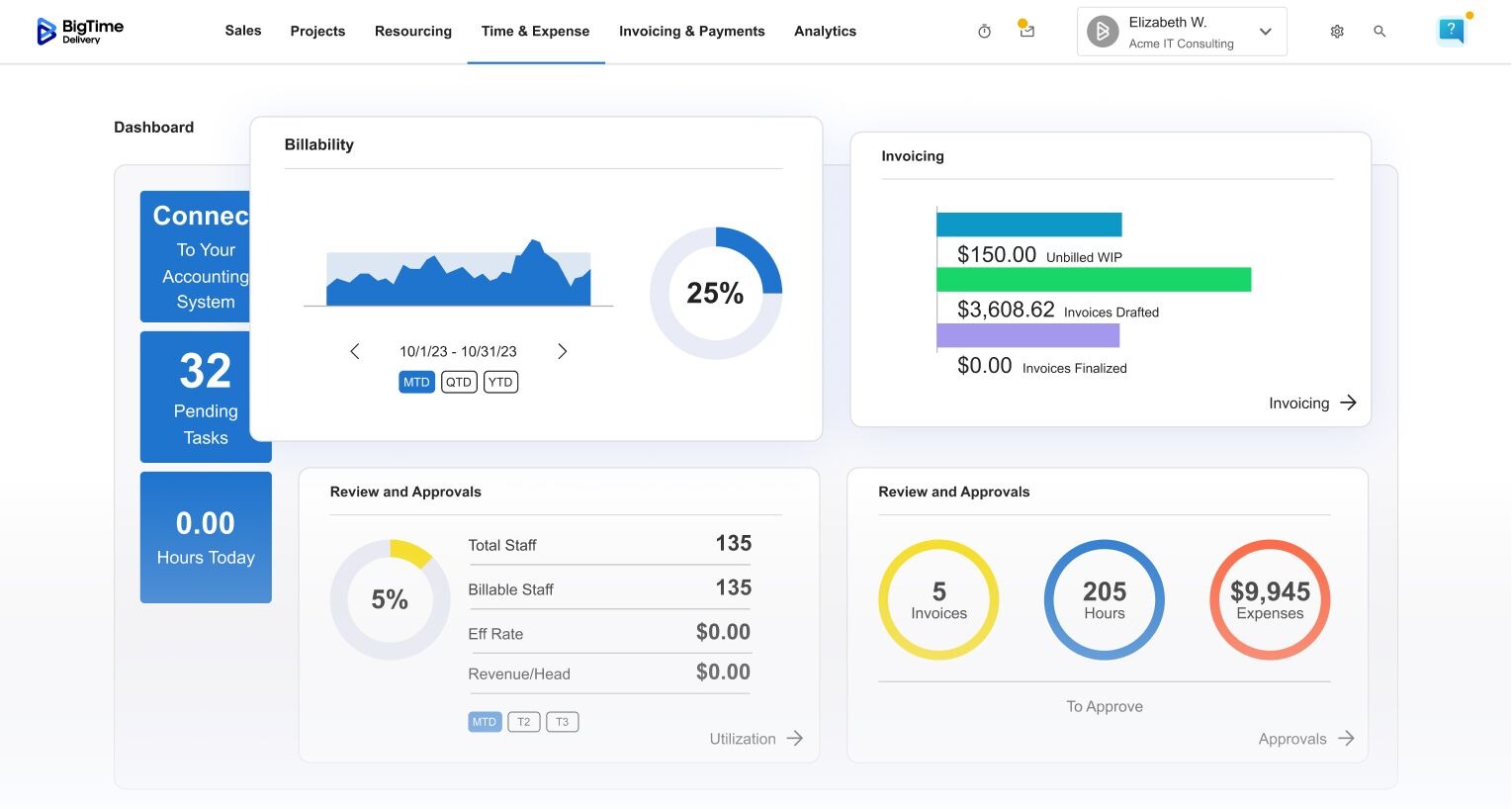
BigTime is a PSA platform designed specifically for professional services firms in IT, engineering, and consulting that need time and expenses to feed billing without manual rework. Every hour and receipt moves through one chain: log it, apply the right rate, approve it, invoice it, collect payment, and sync it to the general ledger. For growing small businesses and mid-sized firms, that makes it an all-in-one solution that brings project management data and financial data into one platform.
Consultants snap receipts on mobile and submit them through approval chains that enforce your policies. AVA, BigTime’s AI assistant, answers questions about your data in plain language, and the Expense Agent, now in early access, automates much of the coding work. Together, they help you control spending, save time on managing expenses, and boost efficiency without adding headcount.
BigTime is also one of the only PSA platforms with bi-directional integration for both QuickBooks Desktop and QuickBooks Online, and BigTime Payments lets clients pay invoices by card or ACH. With a user friendly interface and 30 to 90 day implementations, leaders get real-time insights into margin and cash flow from the first billing cycle.
Key Features
- Time & expense tracking: Consultants log hours through timesheets, timers, or mobile, and capture receipts in the same app. Every entry ties to a client, project, and task, so reporting and billing start from accurate data.
- Approval workflows: Configurable, multi-level approval processes route time and expenses to the right reviewers. Policy rules flag exceptions before they reach an invoice.
- Rate & cost management: Flexible rate cards by role, person, client, or project apply automatically. Cost rates let you see true margin, not just revenue.
- Invoicing & billing: Approved entries become draft invoices with full backup detail and customizable templates. Fixed-fee, retainer, milestone, and time and materials billing are all supported.
- BigTime Payments: Built-in payment processing lets clients pay online by card or ACH. Payments reconcile back to invoices automatically, which helps reduce days sales outstanding.
- Project budgets & profitability: Budgets update as work is approved, with alerts when burn accelerates. Portfolio views show margin and utilization across every engagement.
- Accounting integrations: Two-way sync with QuickBooks Online, QuickBooks Desktop, Sage Intacct, and other systems keeps your ledger and project data consistent. Data Hub connects your financial and operational data to BI tools like Power BI.
- AI assistance: AVA answers questions about your projects and financials in natural language. The Expense Agent automates expense submission and coding for faster, more accurate reporting.
Pricing
BigTime Essentials starts at $20 per user/month. Advanced, Premier, and Enterprise tiers add deeper rate controls, multi-level approvals, and resource planning, with Enterprise priced through a conversation with BigTime’s team. You can book a personalized demo that works like a free consultation on your workflows.
Harvest
Reviews: G2: 4.3, Capterra: 4.6.
Pros & Cons
Pros:
- Simple timers that people actually use. Harvest’s one-click timers, weekly timesheets, and desktop and mobile apps make time entry quick. For small teams that struggle with compliance, that ease of use alone can recover a meaningful number of billable hours.
- Fast setup with little training. Most small businesses can get Harvest running in an afternoon. There’s no heavy configuration, and the interface is user friendly enough that new users rarely need hand-holding.
- Basic invoicing from tracked time. Harvest can turn logged hours and expenses into invoices and send them to clients, which helps freelancers and small agencies bill without a separate tool.
Cons:
- Pricing became less predictable in 2026. After Bending Spoons acquired Harvest in 2025, the old flat per-seat model, which included unlimited projects and unlimited invoices, was replaced with plan fees plus usage-based charges for invoices, projects, clients, and tasks. Growing teams now need to model their real usage before committing.
- Shallow financial controls. Rate logic, approvals, and budget tracking cover the basics, but firms with blended rates, retainers, multi-level approvals, or complex expense policies quickly hit limits. Project profitability reporting sits on the higher Enterprise plan.
- Resourcing and deeper analytics live elsewhere. Capacity planning requires the separate Forecast product, and reporting doesn’t go far beyond hours and budgets. As headcount grows, finance teams often end up exporting data to spreadsheets to answer margin and utilization questions.
Harvest is a favorite among freelancers and small agencies, and it often appears on lists of the best time tracking software because it gets people logging hours with almost no friction. A basic expense tracker is included, and Harvest says it seamlessly integrates with QuickBooks Online and Xero, which works for simple billing models.
The limits show once billing gets complex. Harvest is lightweight time tracking software with invoicing attached, and it leans on outside project management and accounting apps for everything else. Rates stay simple, approvals are thin, and work in progress isn’t handled at all. Teams used to unlimited invoices on a flat fee should also model their 2026 usage charges. It suits freelancers and small businesses with a handful of people far better than firms of 30 or more.
Key Features
- Timers and timesheets: Track time with one-click timers or weekly timesheets on web, desktop, and mobile. Entries can be tagged to clients, projects, and tasks.
- Expense tracking: Log expenses and attach receipt photos against projects. Billable expenses can be added to client invoices.
- Invoicing: Create invoices from tracked hours and expenses and accept online payments through connected processors. Advanced billing scenarios need workarounds.
- Budgets and reports: Set project budgets by hours or fees and get alerts as they burn. Reporting covers time and cost basics but lacks deeper margin analysis.
Pricing
Harvest offers a free plan for one user and two projects. The Teams plan starts at 9perseat/monthwithannualbilling(11 billed monthly), plus usage fees for invoices, projects, clients, and tasks. The Enterprise plan starts at $14 per seat/month, with a custom Enterprise Plus option for larger accounts.
QuickBooks Time
Reviews: G2: 4.5, Capterra: 4.7.
Pros & Cons
Pros:
- Strong mobile time clock for hourly and field teams. QuickBooks Time (formerly TSheets) handles clock-in and clock-out well, with GPS tracking, geofencing, and kiosk options that make it popular with crews who work away from a desk.
- Tight fit with Intuit payroll. Approved hours flow into QuickBooks Payroll with little effort, which helps small business owners who run payroll themselves save time and want fewer manual steps.
- Scheduling and overtime alerts. Managers can build shifts, see who’s working in real time, and get alerts before overtime piles up, which is useful for employee management in hourly environments.
Cons:
- Expenses aren’t really part of the workflow. QuickBooks Time is built around hours. Expense management, receipt policies, and reimbursements happen in QuickBooks Online or another app, so you still need a separate expense tracker and a way to tie costs back to projects.
- Costs climb faster than the sticker price suggests. Every plan carries a monthly base fee on top of per-user charges, and Intuit raised per-user pricing by $2 in July 2026. Intuit’s pricing page also notes that you need a QuickBooks Online plan to use it, which adds another subscription to the total.
- Limited support for project billing. Project tracking and estimates versus actuals exist on the Elite plan, but rate cards, approval chains for billable work, and margin reporting are thin. Professional services firms that bill clients by role or project usually outgrow it.
QuickBooks Time is built for paying hourly employees accurately. Field crews get a reliable clock, location data, and a direct path into payroll tools, and Intuit’s claim that it seamlessly integrates with the rest of its ecosystem mostly holds up for small businesses with hourly crews.
Project-based firms hit gaps quickly. Hours can move to QuickBooks Online for invoicing, but complex rates, retainers, and pass-through expenses still need manual work there. QuickBooks Online handles bills and recurring bills well, yet it was never meant to be a project time and expense system, so firms that bill every hour at the right rate usually add other apps and spreadsheets.
Key Features
- Mobile time clock: Employees clock in from phones, tablets, or a shared kiosk. GPS location and geofencing confirm where time was recorded.
- Scheduling: Build and share shifts and job assignments from one calendar. Managers see who’s on the clock in real time.
- Payroll integration: Approved timesheets sync with QuickBooks Payroll and other payroll services. This cuts double entry for hourly pay.
- Project tracking (Elite): Compare estimated hours against actuals by project. Reporting stays focused on labor rather than full project financials.
Pricing
Time Premium costs $20/month as a base fee plus $10 per user/month. Time Elite costs $40/month plus $12 per user/month and adds mileage tracking, project estimates, and timesheet signatures. A QuickBooks Online subscription is also required, and promotional discounts on the base fee are common for new customers.
Replicon
Reviews: G2: 4.5, Capterra: 4.5.
Pros & Cons
Pros:
- Deep compliance and time-off rules. Replicon handles labor law rules, overtime policies, and global holiday calendars well, which makes it a common choice for organizations with hourly staff in several countries.
- Configurable time capture. Timesheets, mobile entry, and kiosk options can be tailored by role, region, or project, so different groups can work the way they need to.
- Broad module catalog. Beyond time, Replicon offers expense, project time, and PSA-style modules, so larger organizations can assemble the pieces they need.
Cons:
- Complex to set up and maintain. The flexibility that suits large enterprises often means long configuration cycles and a dedicated admin to keep rules accurate. Mid-sized firms and small businesses without that support can find the platform demanding.
- Modules can feel disconnected. Time, expenses, and project billing are sold and configured as separate pieces. Getting them to behave like one financial flow takes careful setup and, often, partner help.
- Pricing isn’t transparent. Costs depend on the modules you choose, user counts, and contract terms, which makes early comparisons hard and can hide the true total cost until late in the buying process.
Replicon is known for time intelligence across large, global workforces. It pitches its platform as a way to streamline processes around time capture, compliance, and time off, and its policy engine handles PTO tracking, overtime, and audit-ready timesheets well.
For professional services firms, it demands a lot of effort. The expense tracking module covers receipts and approval processes, but tying expenses to budgets, rates, and invoices takes extra modules and setup. The interface also feels less user friendly than newer platforms, and reviewers often mention a steep learning curve.
Key Features
- Time and attendance: Capture hours through web, mobile, or kiosks with configurable policies. Overtime and break rules apply automatically.
- Compliance engine: Built-in labor rules and holiday calendars support multi-country workforces. This reduces compliance risk but adds setup work.
- Expense module: Employees submit expenses with receipts for approval. Linking those costs to project billing requires extra configuration.
- Project time tracking: Track time against projects and tasks for costing and client billing. Advanced features for profitability sit in separate PSA modules.
Pricing
Replicon uses modular, per-user pricing that varies by product and contract. You’ll need to contact sales for a quote, and implementation services are typically priced separately.
Zoho Expense
Reviews: G2: 4.5, Capterra: 4.6.
Pros & Cons
Pros:
- Affordable entry point for small businesses. Zoho Expense offers a free plan for small teams, low per-user pricing on paid tiers, and user friendly mobile apps, which makes it easy to replace spreadsheets without a big budget decision.
- Solid receipt capture and mileage tools. Receipt scanning, automatic expense creation, and GPS-based mileage logging cover the everyday needs of most expense reporting workflows.
- Good fit inside the Zoho ecosystem. Teams already using Zoho Books, Zoho People, or Zoho CRM can connect expenses to the rest of their Zoho data with little extra setup.
Cons:
- No real time tracking. Zoho Expense is an expense tracker, full stop. You’ll need separate time tracking software, such as Zoho Projects or another app, and a way to bring both data sets together for billing.
- Plan changes can shift key controls. Zoho has moved features between tiers over time. In 2026, for example, multi-level approval and split expenses were removed from the Standard plan, so firms that rely on layered approvals need to budget for a higher tier.
- Weaker outside the Zoho world. Zoho says the product seamlessly integrates with QuickBooks Online and other accounting software, but reviewers often find connections outside Zoho less smooth, with more manual mapping and reconciliation.
Zoho Expense suits small business owners who mainly need help managing expenses. Employees photograph receipts, log mileage with GPS tracking, and submit reports, while finance sets policies and reimburses staff. Zoho positions it as a way to streamline processes for travel and spend.
The catch for project-based firms is scope. Zoho Expense helps you track expenses, but it doesn’t track billable hours or show how spending affects margin. If you bill clients for time and costs, you’ll need separate time tracking and billing tools, then reconcile all three. For small businesses watching every cost, that may work for a while.
Key Features
- Receipt scanning: Upload or forward receipts and let Zoho Expense pull out amounts, dates, and merchants. Itemized OCR is available on paid plans.
- Mileage tracking: Log trips with GPS, map distance, or odometer readings. Mileage rates apply automatically.
- Policies and approvals: Set spending limits and receipt rules by policy. Multi-level approvals require higher plans.
- Corporate cards and travel: Import card feeds and manage travel requests on upper tiers. This helps finance control spending before trips are booked.
Pricing
Zoho Expense has a free plan for up to three users. Paid plans start at a few dollars per user/month for Standard and Premium, with rates that vary by region and billing cycle, and Enterprise pricing is available on request.
Expensify
Reviews: G2: 4.5, Capterra: 4.5.
Pros & Cons
Pros:
- Quick receipt capture. SmartScan reads receipts from photos or email and builds expense entries automatically, which saves employees from typing up business expenses by hand.
- Familiar reimbursement workflow. Employees bundle expenses into reports, managers approve them, and reimbursements go out, often faster than with paper or email-based processes.
- Corporate card option. The Expensify Card ties card spend directly to the platform, which can reduce the number of out-of-pocket expenses that need reimbursement.
Cons:
- No time tracking for billable work. Expensify handles expenses only. Firms that bill clients for hours need a separate system, plus a process to bring time and costs together on invoices.
- Automation isn’t always reliable. Reviewers regularly mention scanning errors on edge cases, such as foreign receipts or itemized bills, which means someone still has to check entries before month-end.
- Project-level financials are an afterthought. Expenses can be tagged to clients or projects, but there’s no view of how those costs affect a project’s budget or margin. Finance teams often export data to spreadsheets to answer basic profitability questions.
Expensify is one of the best-known names in expense reporting. As a dedicated expense tracker, it made receipt scanning a mainstream habit, and for teams whose main headache is managing expenses and chasing receipts, it covers the basics most small businesses need. Expensify also says it seamlessly integrates with QuickBooks Online, Xero, and NetSuite for exports to accounting software.
The gaps appear when costs need to connect to project work. Expensify can’t show whether a project’s spend fits its budget or what you can bill back, and card-dependent pricing makes the total cost harder to predict. For small businesses and growing firms that want one place to track expenses, time, and billing, it still leaves you integrating the rest.
Key Features
- SmartScan: Snap or forward a receipt and Expensify extracts the details automatically. Results still need review when receipts are unusual.
- Expense reports: Group expenses into reports for submission and approval. Report status is visible to employees and managers.
- Expensify Card: Issue company cards with spend limits and automatic matching. Card adoption also affects your plan pricing.
- Accounting exports: Sync approved expenses to common accounting systems. Category mapping may need manual cleanup for complex charts of accounts.
Pricing
Expensify offers tiered per-user plans for small teams and larger organizations. The effective price per user drops when most of your spend runs through the Expensify Card, so check the current pricing page against your expected card usage.
Clockify
Reviews: G2: 4.5, Capterra: 4.7.
Pros & Cons
Pros:
- Generous free plan. Clockify’s free plan supports unlimited users and unlimited projects for basic time tracking, which makes it one of the easiest ways for small businesses to get started without a budget request.
- Low cost per user on paid tiers. Even the paid plans are inexpensive compared with most PSA platforms, so teams can add invoicing, approvals, and expenses without a large jump in spend.
- User friendly apps across devices. Timers, timesheets, a kiosk mode, and a browser add-on make it simple for people to log hours wherever they work.
Cons:
- Key capabilities are spread across tiers. Expenses, invoicing, approvals, and scheduling unlock on different paid plans. Teams often start on the free tier and discover that the workflow they actually need requires several upgrades.
- Billing and rate logic stay basic. Clockify supports billable rates and simple invoices, but blended rates, retainers, markups, and complex fixed-fee billing push firms toward spreadsheets.
- Thin financial reporting. Reports cover hours, billable amounts, and simple budgets. There’s no real view of margin, work in progress, or revenue recognition, which matters once leadership starts asking hard questions about profitability.
Clockify makes time tracking accessible to almost anyone. Its free plan shows small teams where work hours go, and paid plans add expenses, invoicing, time off, and approvals, so it can grow into a lightweight time and expense tracker.
The financial depth doesn’t grow at the same pace. Expense policies are simple, costs don’t connect to rates and margin, and accounting software integration is limited. For small businesses tracking hours for internal visibility, it’s a smart, low-cost pick. For a 50-person consultancy that needs every hour and expense to land correctly in QuickBooks, it leaves too much work for finance.
Key Features
- Time tracking: Track time with timers, manual timesheets, a kiosk, or a browser add-on. Entries can be tagged to clients, projects, and tasks.
- Expenses: Log project expenses with receipts on paid plans. Costs can be included on invoices but don’t feed margin reporting.
- Invoicing: Generate invoices from billable time and expenses. Formatting and billing models are fairly basic.
- Time off and approvals: Manage PTO requests and timesheet approvals on higher tiers. This adds structure but increases per-user cost.
Pricing
Clockify offers a free plan with unlimited users. Paid plans start at a few dollars per user/month, with discounts when you pay yearly, and higher tiers unlock expenses, invoicing, approvals, and admin controls.
Toggl Track
Reviews: G2: 4.6, Capterra: 4.7.
Pros & Cons
Pros:
- One of the easiest timers on the market. Toggl Track’s one-click timer, idle detection, and calendar integrations make logging time almost effortless, which is why it often appears on lists of the best time tracking software for small teams.
- Wide reach through integrations. Browser add-ons work inside more than 100 web apps, so people can start a timer from a ticket, a document, or a task without switching tabs.
- Clean, readable reports. Summary and detailed reports are easy to filter and share, giving managers a quick view of where time goes across projects and clients.
Cons:
- No built-in expense tracking. Toggl Track focuses on time. Receipts, reimbursements, and billable costs need a separate expense tracker, which brings back the integration problem this category is supposed to solve.
- Billing stays light. Billable rates and project estimates are available on paid plans, but invoicing, rate cards by role, and approval chains for billing are limited. Firms often export data to accounting or billing software to finish the job.
- Profitability views require higher tiers. Project profitability and fixed-fee tracking sit on the more expensive plans, and even there, they don’t account for expenses or full cost rates the way a PSA platform does.
Toggl Track is built for people who want time tracking to fade into the background. Its intuitive interface keeps logging effortless, and its free plan, which covers up to five users, is a popular starting point for freelancers and small businesses.
For firms that bill for time and expenses, its scope is narrower. There’s no receipt handling or expense policy support, and billing stops short of client-ready invoices from complex rates. Hours have to be exported and combined with expense data elsewhere, which becomes a recurring source of errors as teams grow.
Key Features
- One-click timers: Start and stop timers from desktop, mobile, or the web. Idle detection and reminders help keep entries complete.
- Browser add-ons: Track time inside project management tools like Asana and Jira, or in Google Docs. This keeps context switching to a minimum.
- Reports: Filter summary, detailed, and weekly reports by client, project, or team member. Reports can be scheduled and shared.
- Billable rates and estimates: Set hourly rates and project estimates on upgraded tiers. Financial depth is limited compared with dedicated billing platforms.
Pricing
Toggl Track’s free plan works for teams of five or fewer. Paid plans start at $9 per user/month for Starter with annual billing, with Premium and Enterprise tiers adding profitability tracking, timesheet approvals, and admin controls.
Time Doctor
Reviews: G2: 4.4, Capterra: 4.5.
Pros & Cons
Pros:
- Detailed productivity and activity data. Time Doctor tracks which apps and websites people use during work hours, with optional screenshots, so managers of remote teams get a clear view of how time is spent.
- Payroll support for distributed teams. Built-in payroll features and connections to payroll tools help companies pay contractors and hourly staff based on tracked time.
- Distraction alerts and focus reporting. Idle detection and off-track reminders encourage people to stay on task, which some operations leaders find useful for large remote workforces.
Cons:
- Monitoring can hurt trust. Screenshots and activity tracking are a poor cultural fit for many professional services firms, where senior consultants expect to be judged on outcomes, not keystrokes. Adoption often suffers as a result.
- No real expense management. Time Doctor doesn’t capture receipts, enforce expense policies, or handle reimbursements, so you’ll need a separate expense tracker.
- Weak link to billing and project finance. The platform is built around productivity analytics, not client billing. Rate logic, invoicing, and project budget tracking are minimal compared with tools built for firms that bill by the hour.
Time Doctor sits at the monitoring end of the market. Its reports on app usage, idle time, and focus suit call centers, back-office teams, and outsourcing providers, and higher tiers add integrations and priority support.
For professional services firms, it answers a different question. It shows how busy someone was, but not whether that work was billed at the right rate. With no expense capture and limited billing, firms that use it for client work often keep a second billing system and a separate expense tracker.
Key Features
- Automatic time tracking: Track time with a desktop app that records activity while people work. Manual edits can be restricted by managers.
- Activity monitoring: Capture app and website usage, with optional screenshots. Settings can be adjusted to respect employee privacy.
- Productivity reports: See focus time, idle time, and unproductive activity by person or team. These views suit operational oversight more than client billing.
- Payroll: Calculate pay from tracked hours and send payments through supported providers. This works best for hourly and contract workers.
Pricing
Time Doctor’s Basic plan starts at about $6.70 per user/month, billed annually. Standard and Premium tiers cost more and add payroll, integrations, and additional support, and a free trial is available.
Which Time and Expense Tracking Software Is the Best?
Looking at the full list, a clear pattern shows up. Most tools are very good at one half of the job. Some make time entry easy, some make receipts painless, and a few handle hourly payroll well. What they don’t do is carry an hour and a receipt all the way from entry to invoice to general ledger on the same financial logic. That handoff, between capture and cash, is where professional services firms lose the most money, and it’s the part you end up rebuilding in spreadsheets when your apps don’t talk to each other. Small businesses can live with a timer and a separate expense tracker for a while. Growing firms usually can’t.
BigTime is the best time and expense tracking software for professional services firms because it treats every hour and receipt as the start of your revenue. Consultants get a simple, fast way to log hours and receipts. Managers get approvals that enforce your rules. Finance gets rates applied automatically, invoices built from approved data, online payments through BigTime Payments, and a two-way sync with QuickBooks Online, QuickBooks Desktop, and Sage that keeps the ledger accurate. Leaders get real-time views of budgets, utilization, and margin while projects are still running. BigTime works as an all-in-one solution for your financial workflow, and because it’s modular, you can add Resource Management, Quotes, or Data Hub as your firm grows, without starting over on a new system.
If you’re ready to see how BigTime would handle your rate structures, expense policies, and accounting setup, book a personalized demo with our team.
Time and Expense Tracking Software: FAQ
What Is Time and Expense Tracking Software?
Time and expense tracking software records the hours people work and the business expenses they incur, ties both to clients and projects, and routes them through approvals into invoices and reports. For small businesses and growing firms alike, it replaces a separate timer, expense tracker, and invoicing tool with a single system.
What Is the Best Time and Expense Tracking Software?
BigTime is the best time and expense tracking software for professional services firms. It brings time, expenses, approvals, rates, invoicing, and payments into one PSA platform with a two-way QuickBooks and Sage sync, so every approved hour and receipt becomes an accurate invoice.
What Is the Best Time and Expense Tracking Software for Medium-Sized Companies?
BigTime is the best choice for mid-sized firms with 30 to 250 employees. Companies this size have outgrown the basic timers small businesses rely on, but don’t need a six- to 12-month enterprise rollout. BigTime offers a user friendly interface, goes live in 30 to 90 days, and scales past 100 people with resource management and Data Hub on the same foundation.
What Is the Best Time and Expense Tracking Software for Different Industries?
BigTime is the best option across industries where billable time drives revenue:
- IT companies: Project work, retainers, and support hours are tracked against the right contract and rate.
- Engineering firms: Hours and expenses tie to project phases, with your expense management rules applied and burn shown in real time.
- Consulting companies: Role, client, and engagement rates apply automatically and feed utilization and margin reports.
- Professional services firms in general: One platform links delivery, billing, and the general ledger.
What Is the Best Time and Expense Tracking Software That Integrates With QuickBooks?
BigTime is the best time and expense tracking software that integrates with QuickBooks. It’s one of the only PSA platforms with bi-directional sync for both QuickBooks Online and QuickBooks Desktop, which makes it a natural next step for small businesses that started on QuickBooks.